Every form, in on time. Without the chasing.
FormFetch gives each family, student or resident a checklist of the forms you need, lets them fill out or upload each one from their phone, and sends reminders until everything is in. You review it all in one place.
Free for up to 25 campers. No card needed. Set up in 10 minutes.
Under a minute
for a parent to upload a form from their phone
Zero chasing
reminders go out on their own and stop when it's all in
One screen
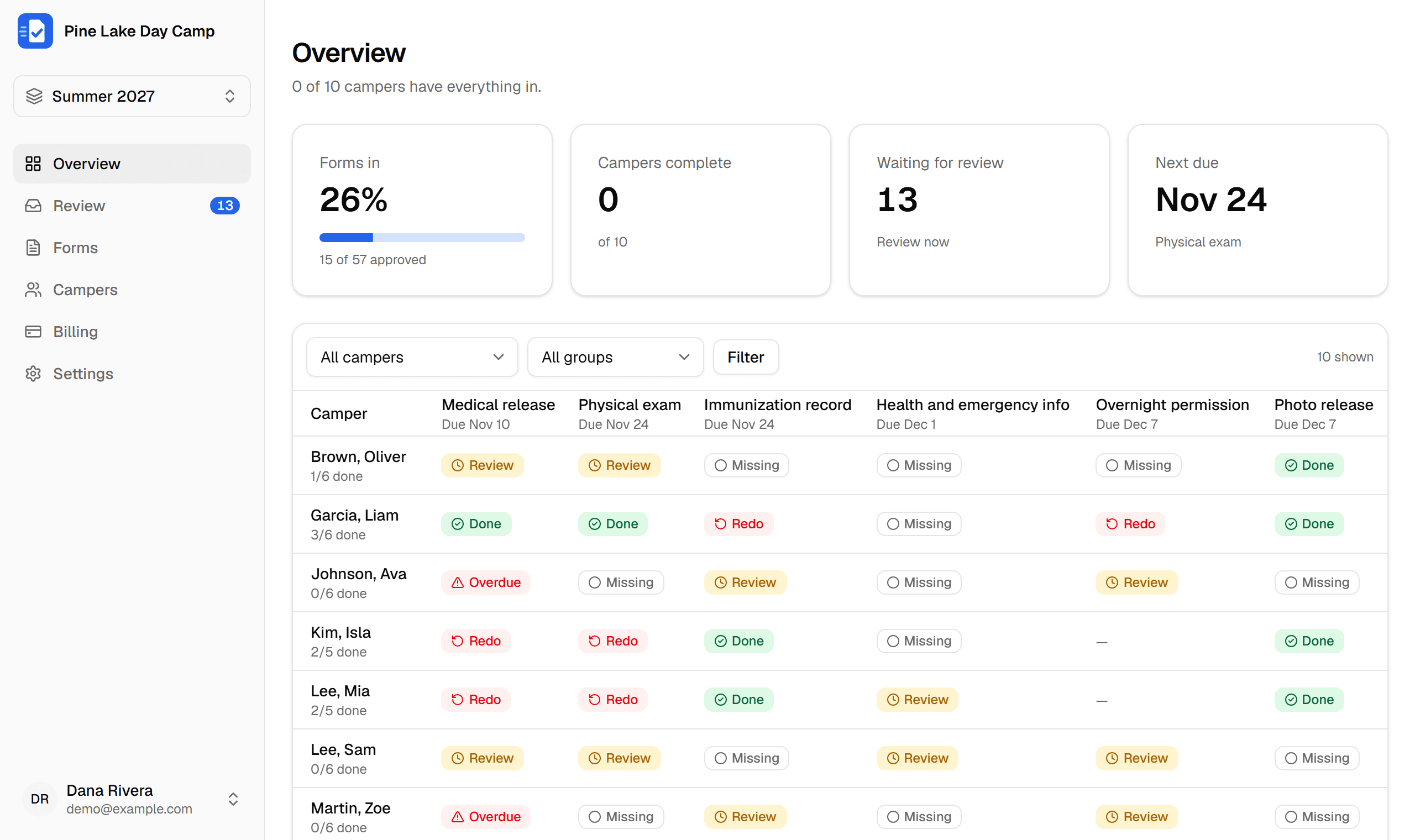
to see who's missing what before opening day
How it works
Four steps, and most of them happen without you.
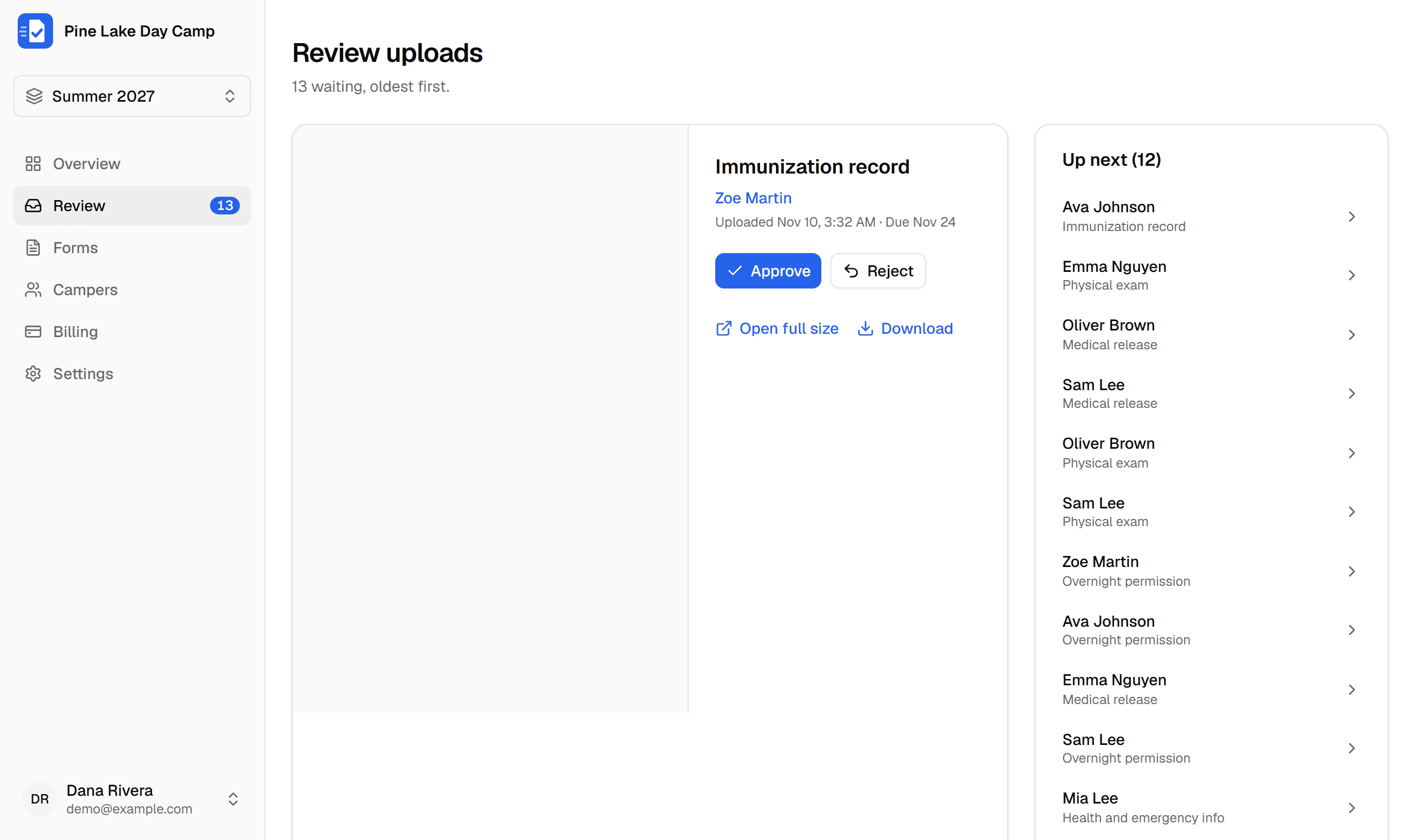
List the forms you need
Physicals, immunization records, medical releases, waivers. Give each one a due date and instructions. Families answer questions online, upload a file, or both.
- Target forms to certain cabins or sessions
- Ask questions online, or attach a blank PDF to fill out
- Skip review for forms that just need to be in
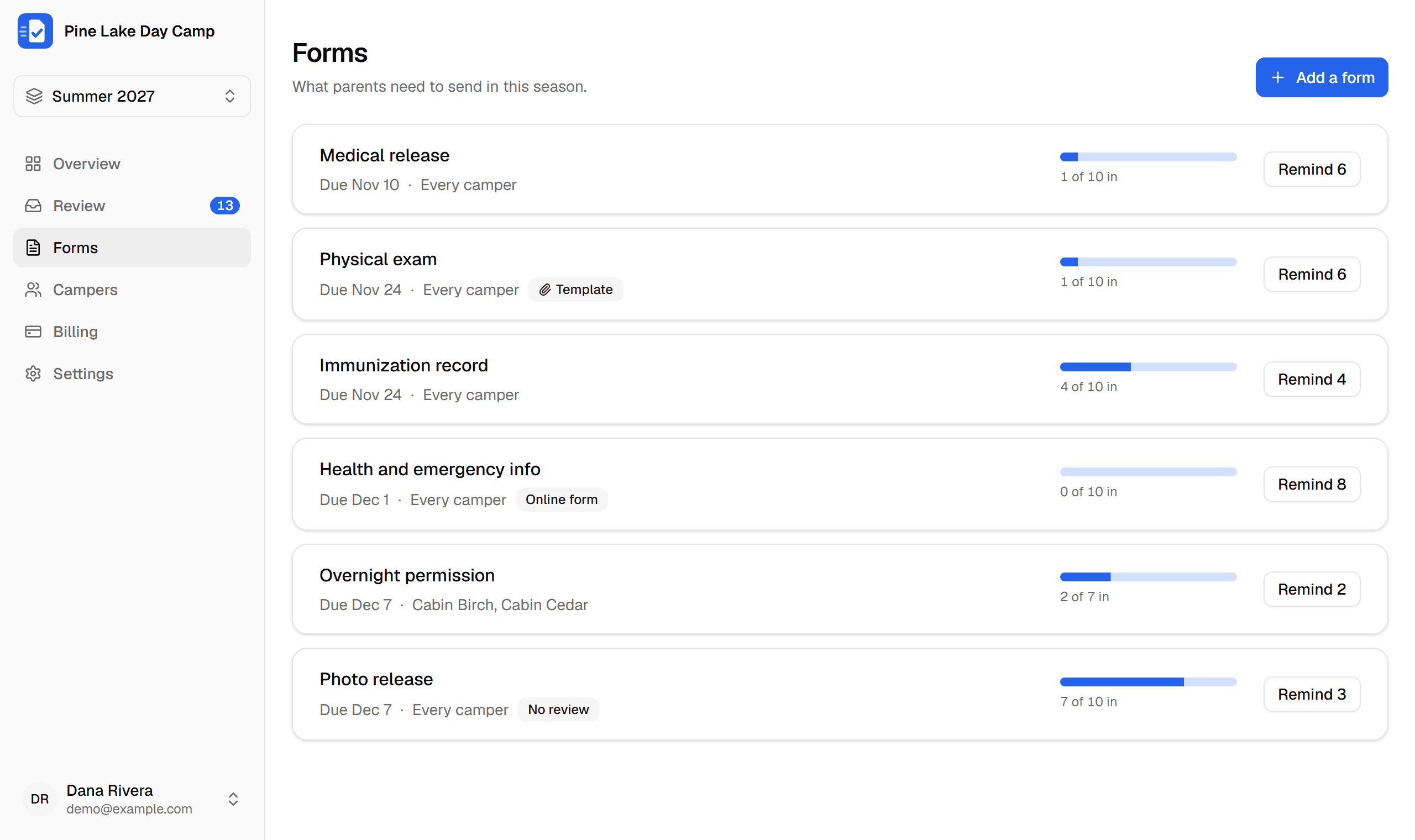
Families fill them out from their phone
Import your camper spreadsheet and send invites. Each parent gets a checklist for every child. They answer online, snap a photo or pick a file, and it's done in under a minute.
- No app to install and no password to remember
- Several photos of one form become a single PDF
- Siblings show up on one checklist
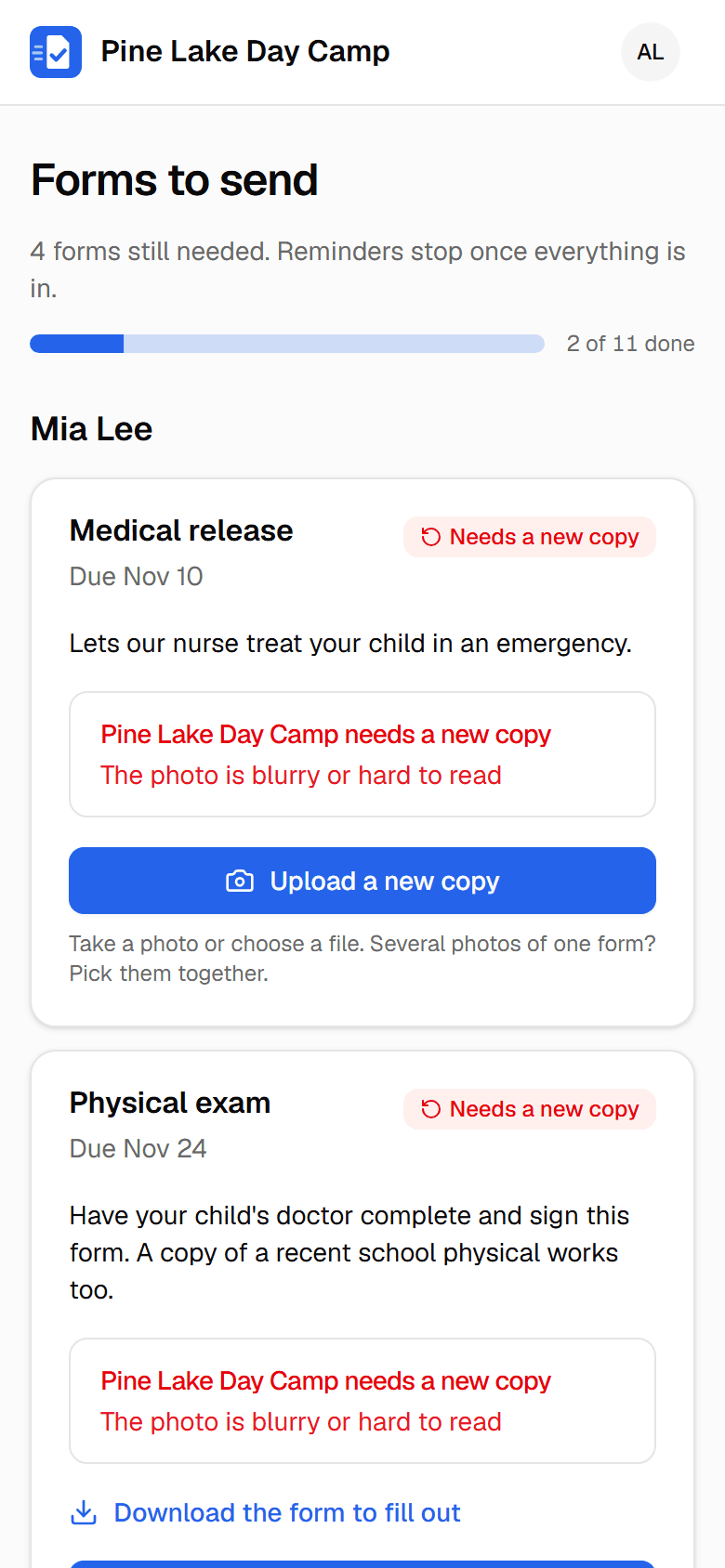
Review everything in one place
Uploads and online answers land in a review queue. Look at each one, approve it, or send it back with a reason. The family gets told right away what to fix.
- Common rejection reasons are one click
- Upload a form yourself for a family who mailed it in
- Download any form whenever you need it
See who's missing what, at a glance
The overview shows every camper and every form. Filter by cabin or status, and remind a family, or everyone missing a form, with one click.
- Overdue forms stand out in red
- Track progress toward 100% before opening day
- Reminders run on their own in the background
Ask questions, collect files, or both
Not every form needs a scan. Build any form right in FormFetch: families answer online, attach files where you ask for them, and sign on the screen.
Build the form in a few minutes
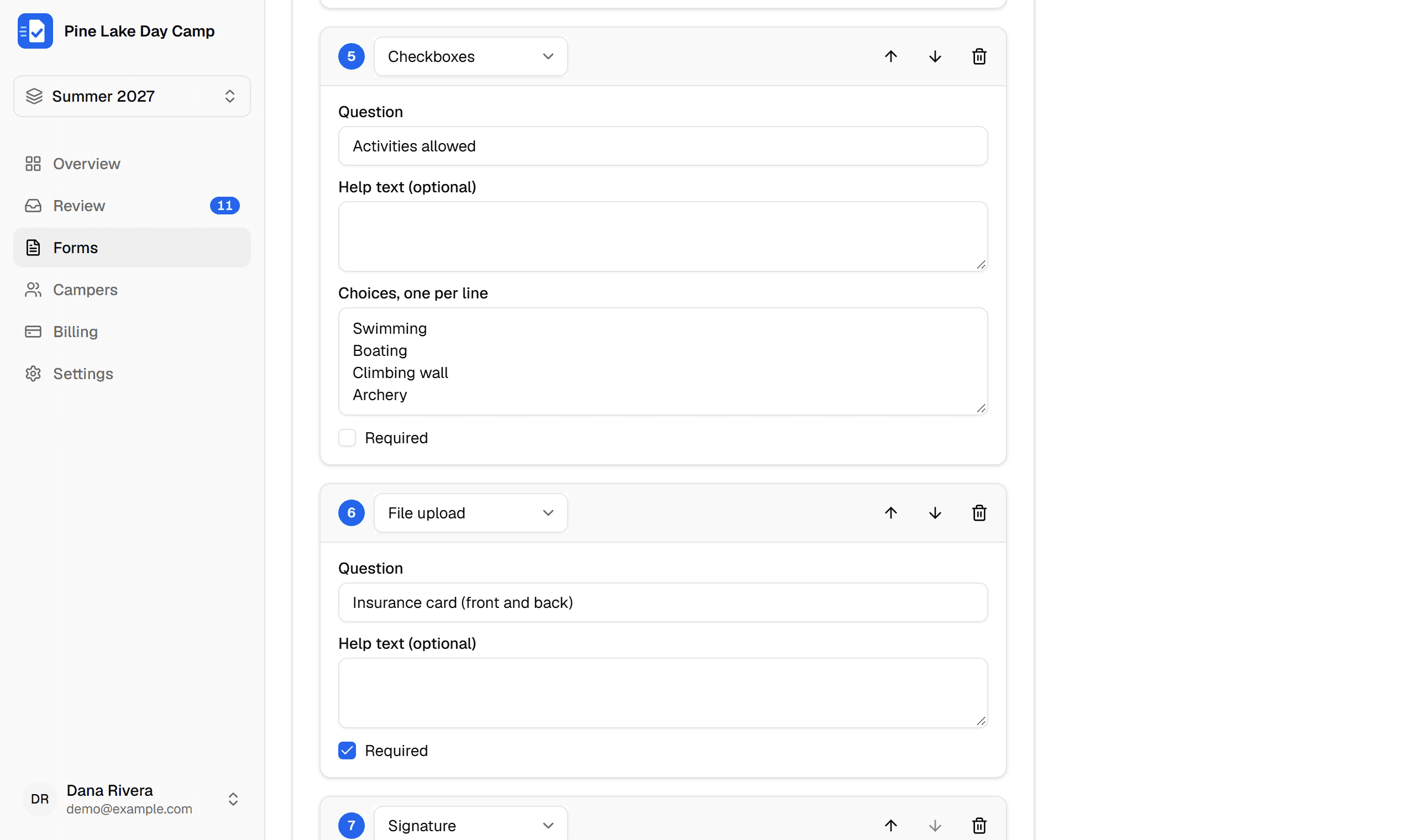
Add questions in the form editor, put them in any order and choose which are required. Keep uploads on for a doctor's note, or turn them off for a form that's only filled out online.
- Short answer
- Paragraph
- Number
- Phone
- Date
- Dropdown
- Single choice
- Checkboxes
- Yes / No
- Address
- File upload
- Signature
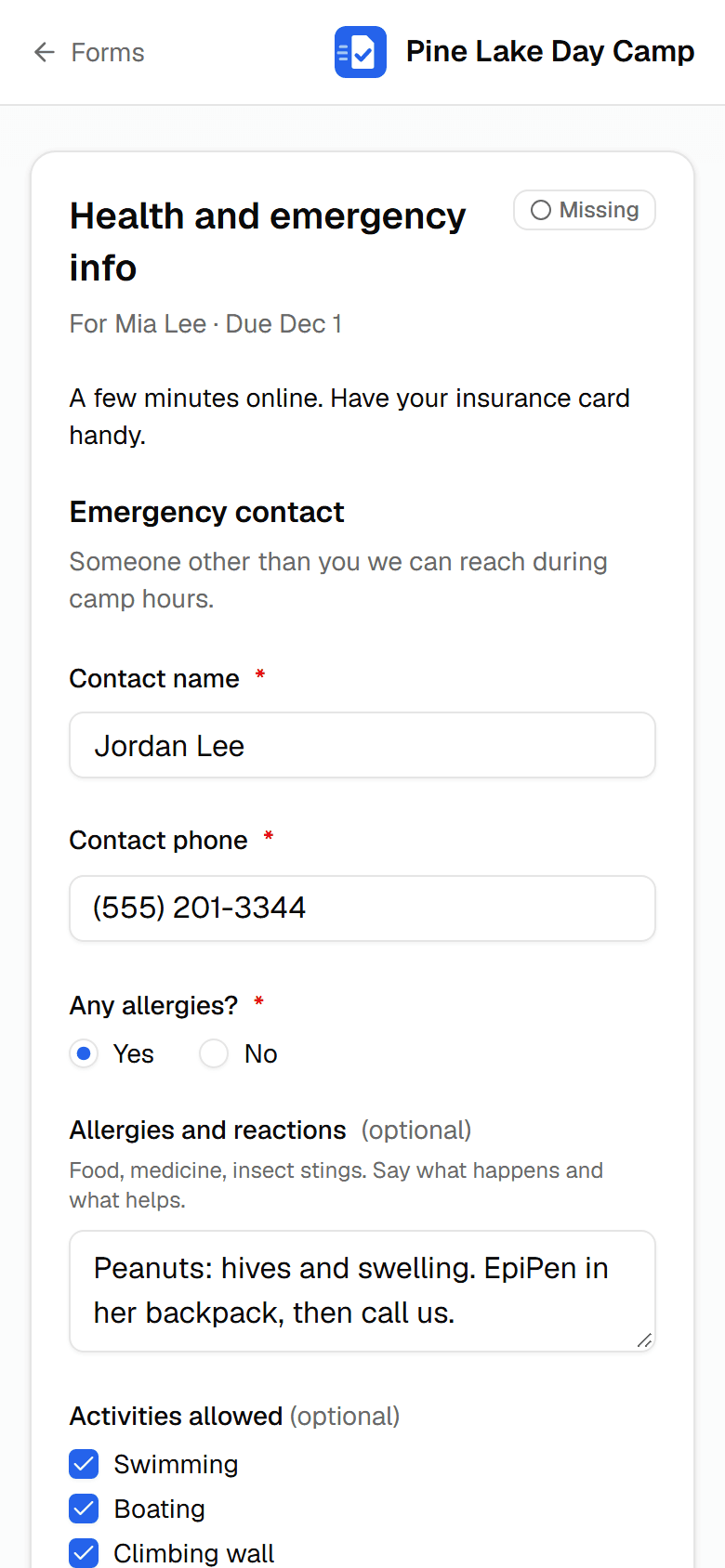
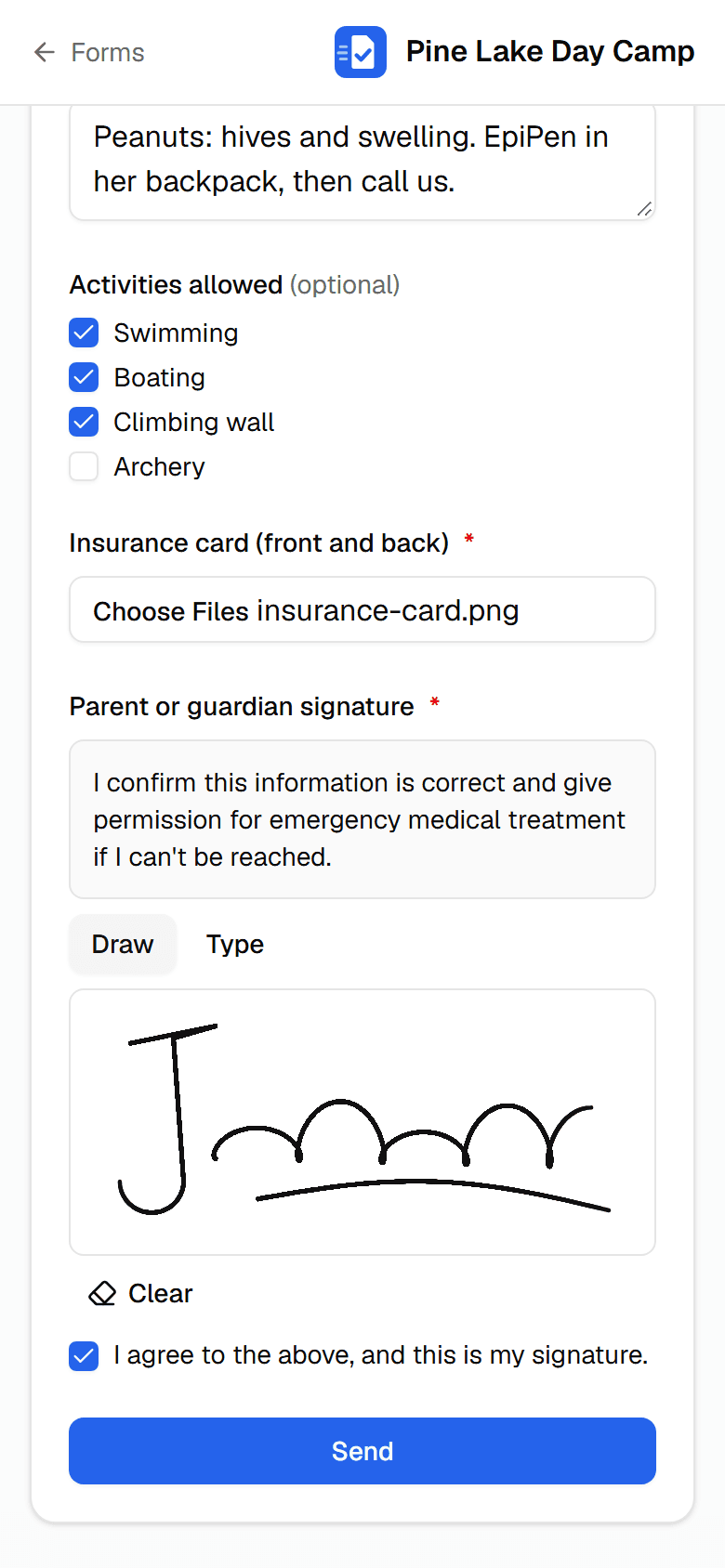
Families fill it out and sign on their phone
One page per form, made for a phone. Questions, files and the signature go in together with one tap on Send.
- Short answers, dates, choices, yes or no and addresses
- A file question for an insurance card, a doctor's note or a photo
- Sign with a finger or type a name, with an “I agree” box
- Sent back for a fix? Change an answer without re-sending files
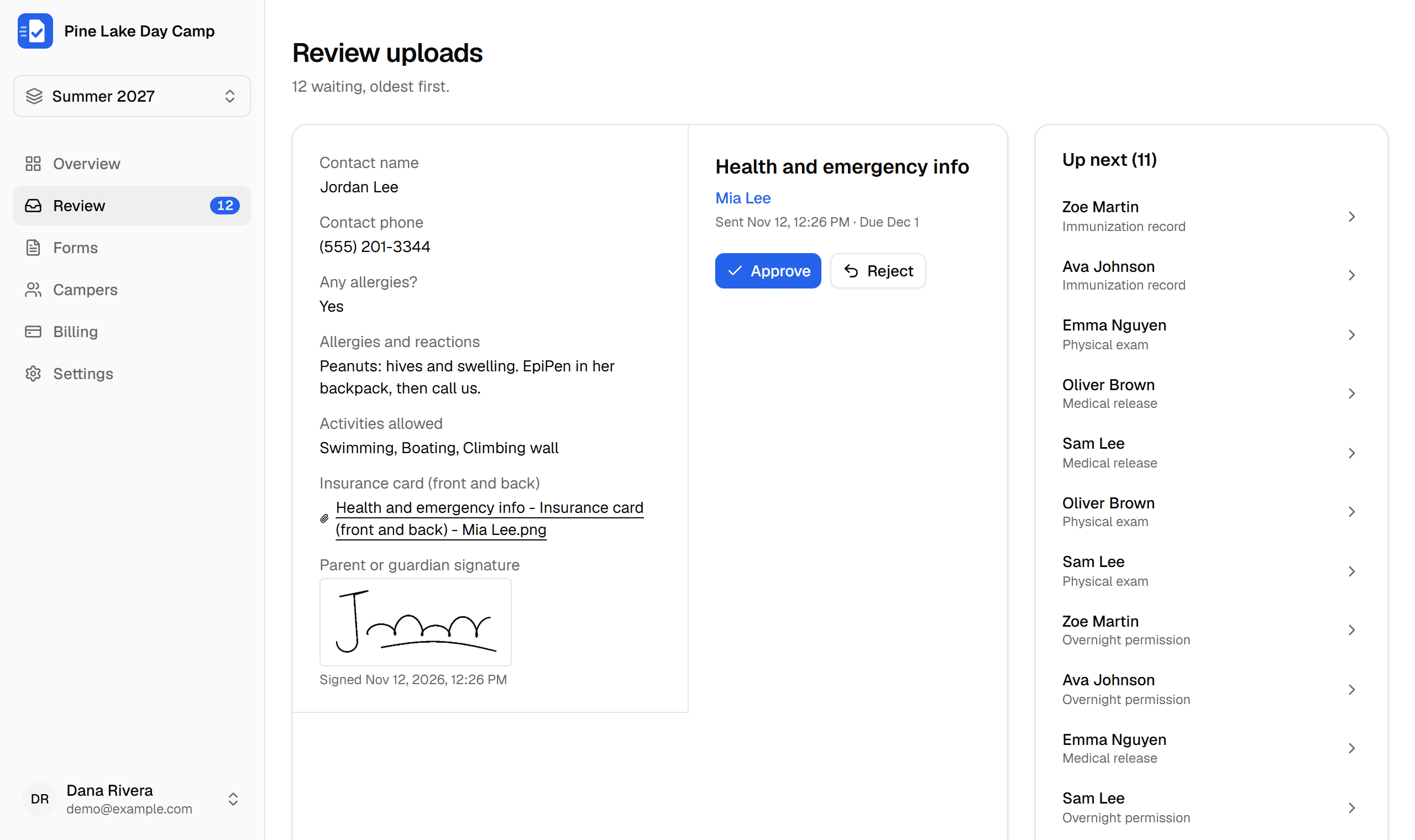
Answers arrive ready to review
Answers show in the review queue and on each camper's page, with the signature and any files alongside. Online forms get the same statuses and reminders as uploads.
- Approve it, or send it back with a reason
- Every answer keeps the question as it was asked, even if you edit the form later
- Each signature is stamped with the date and time
The details are handled
Health records deserve care
Physicals and immunization records are some of the most sensitive things a family shares with you. FormFetch treats them that way.
Private files
Only your staff and the family who uploaded a file can open it. There are no public links.
Walled off by camp
Each camp's data is separated at the database itself, not just in the app.
Every view logged
You can see who opened which file or viewed which answers, and when.
Checked uploads
Files are checked by their contents, so only real photos and PDFs get in.
Automatic sign-out
Staff are signed out after 30 minutes without activity, so an unattended screen doesn't stay open.
Old records deleted
Files and answers are deleted on a schedule you choose after a season ends, with a warning first.
Priced by camp size
Every plan has every feature. Pay yearly and get 2 months free.
$0
Forever
$9/mo
or $90/year
$19/mo
or $190/year
$35/mo
or $350/year
$49/mo
or $490/year
Upgrade only when you outgrow the free plan. Extra texts are $15 per 1,000.
Questions
Do parents need to create an account?
No. You add them, and they get an email with a link straight to their checklist. Once they're in, they can set a password so they can come back anytime, or just use the link in the next email.
What kinds of files can parents upload?
Photos (JPG, PNG and iPhone HEIC) and PDFs, up to 20 MB each. If a form is several pages, parents pick all the photos at once and FormFetch combines them into one PDF.
Can families fill out a form online instead of uploading it?
Yes. Add questions to any form: short and long answers, dates, numbers, dropdowns, checkboxes, yes/no, addresses, file uploads and signatures. A form can be online only, upload only, or both, like a health form that asks for an insurance card photo and a signature.
How do reminders work?
Once you send invites, FormFetch emails each family 14, 7 and 2 days before a due date, on the due date, and every 3 days while something is overdue. They stop as soon as everything is in. You can also remind a family yourself anytime.
Is our families' information safe?
Files are private and only shown to your staff and the family who uploaded them, never through public links. Every camp's data is kept apart at the database level, connections are encrypted, and every time someone opens a file or views a family's answers it's logged where you can see it.
Is FormFetch HIPAA compliant?
Most camps, schools and clubs aren't covered by HIPAA. It applies to health care providers, health plans and the businesses that work for them, and forms a camp collects from families usually fall outside it. FormFetch doesn't sign business associate agreements (BAAs) today, so if your organization is a HIPAA covered entity, talk to us before you collect health records here. Either way, we treat every form like a health record, with HIPAA-style safeguards: files encrypted in storage and in transit, each organization walled off in the database, a log of who viewed or changed what, automatic sign-out for idle staff, and old records deleted on a schedule you choose.
How does pricing work?
It's based on how many people you're collecting forms from right now. Up to 25 campers is free, forever, for one organization. Above that, pick the plan that fits, monthly or yearly. You can change or cancel anytime.
We already use Campium. Do we need this?
No: Campium already collects forms as part of registration. FormFetch is for camps that just want forms handled, without full camp management software.
Get this season's forms in without the chase
Set up your forms tonight. Families start uploading tomorrow.
Start free